
I am Prasnjit Kumar Sharma from Madhubani Bihar. I have completed my B. Tech IT from Sri Ramakrishna engineering college and I have done specialization on Threat handling and risk analysis. Currently, i am working with the L&T Technology on the connected security framework project, and recently I have completed my CISSP(Certified Information System Security Professional) certification from simplilearn. Along with this, now I am a candidate of (ISC)2.
Before starting with bettercap we need to ensure that there should be go install in the system. Bettercap is the successor to Ettercap and features attack modules for many different types of radio and network technologies. Today, we'll be focusing on the Bluetooth module, but there is a lot more to Bettercap than just Bluetooth hacking. Bettercap can also hunt down and attack Wi-Fi networks, and by default, will begin enumerating devices on whatever network you are on when you start it. This ability translates well to identifying and scanning Bluetooth devices.
start bettercap using command
$sudo bettercap

run Help command as shown in the image below, it will list all the module status
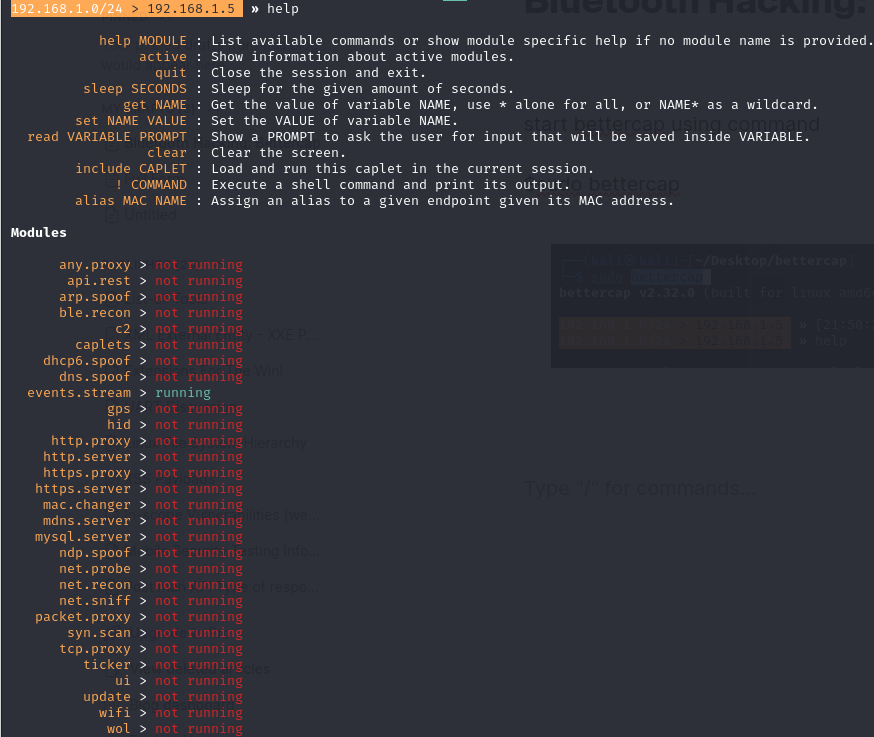
we can see that ble.recon is of so we need to start it up for that run the command
ble.recon on

it will list the available Device, Or to scan we can run the command ble.show

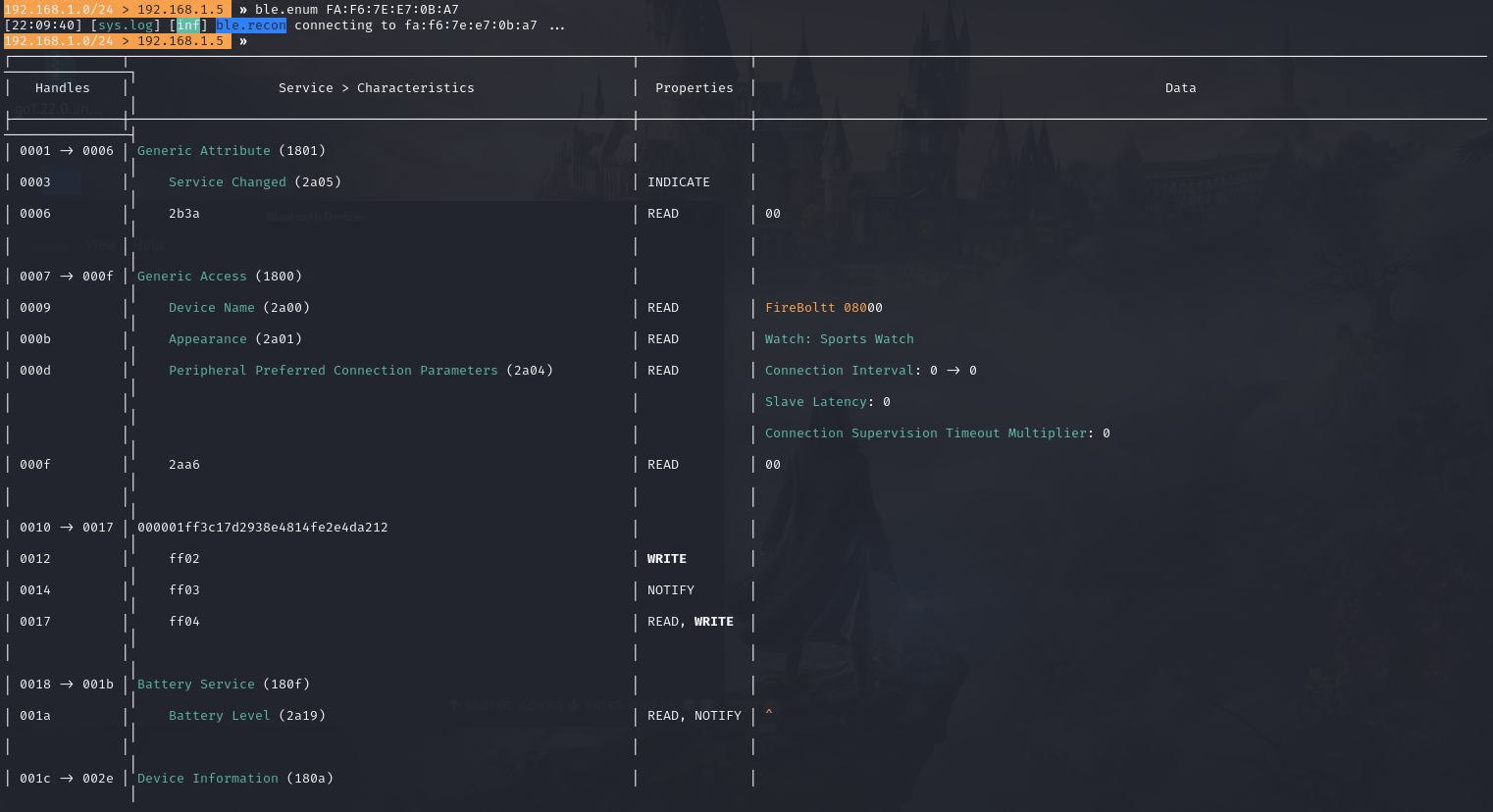
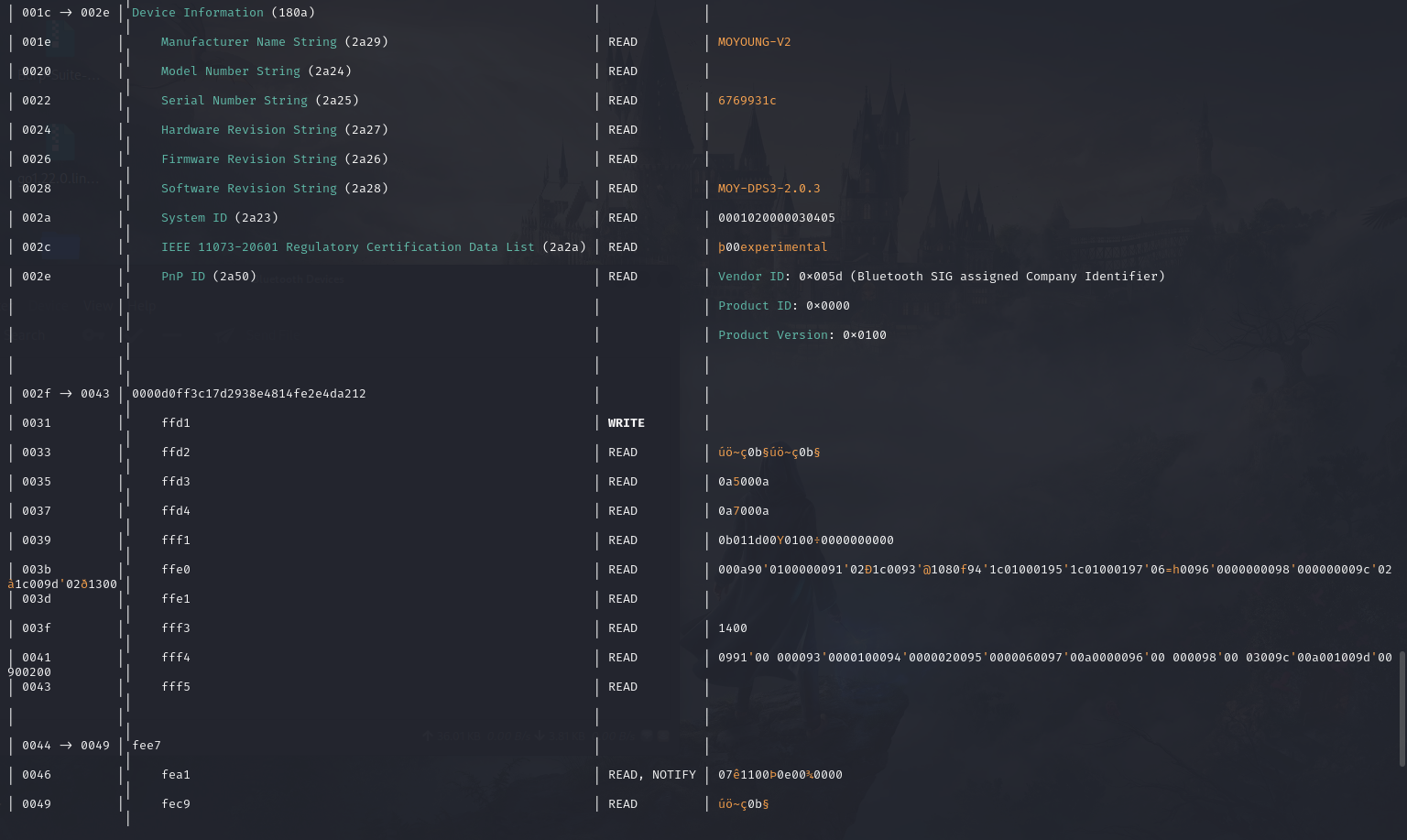
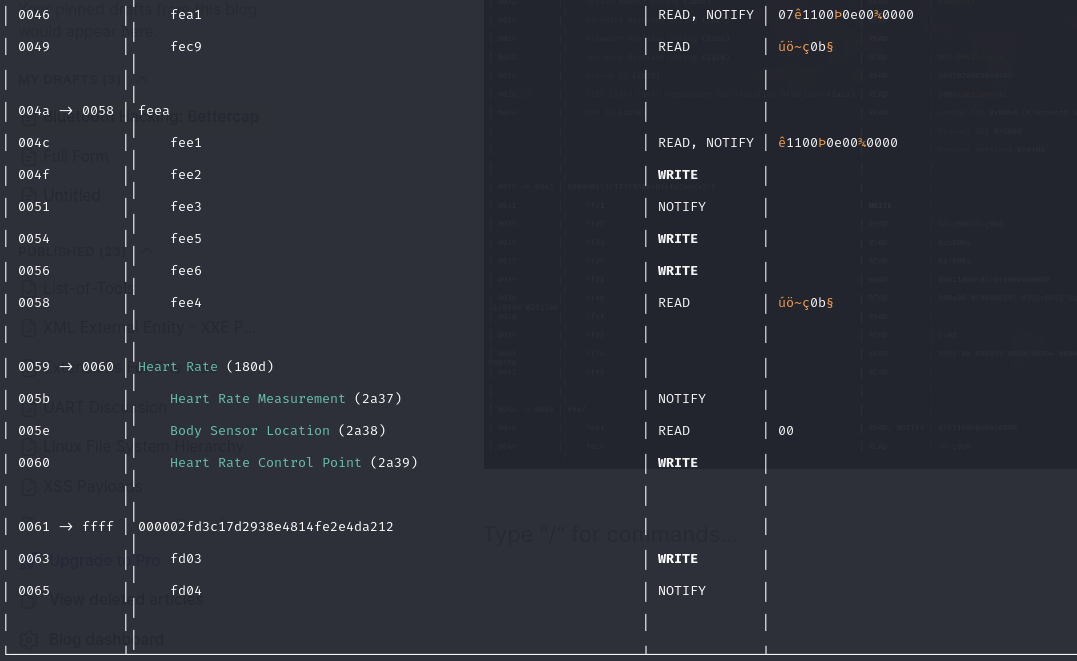
to enumerate the device run the command
ble.enum fa:f6:7e:e7:0b:a7
stay connected for more .....

